EnsoGrow
A gardening app that diagnoses sick plants from a photo. Built with a team at WildHacks 2025.
The problem
Most gardening apps ignore local constraints like space, light and time, and they overlook organic-first care. Beginners get confusing advice, lose a crop, get little feedback, and give up.
We built EnsoGrow at WildHacks 2025 as a coach rather than a manual, so it gives short steps instead of long instructions. It is aimed at people growing food at home: urban growers, students and busy professionals.
What it does
- Plant matchmaker: suggests plants that fit your space, your sunlight and the time you have.
- Plant doctor: take a photo of a sick plant and get a diagnosis with organic treatment tips.
- Care reminders, based on the growth stage, the weather and your schedule.
- A growth tracker with a timeline and milestone badges, to keep you going.
- A local community for things like compost pickups, seed swaps and tips.
- A chatbot for gardening questions.
Flows
How a person moves through the app, and what each task involves
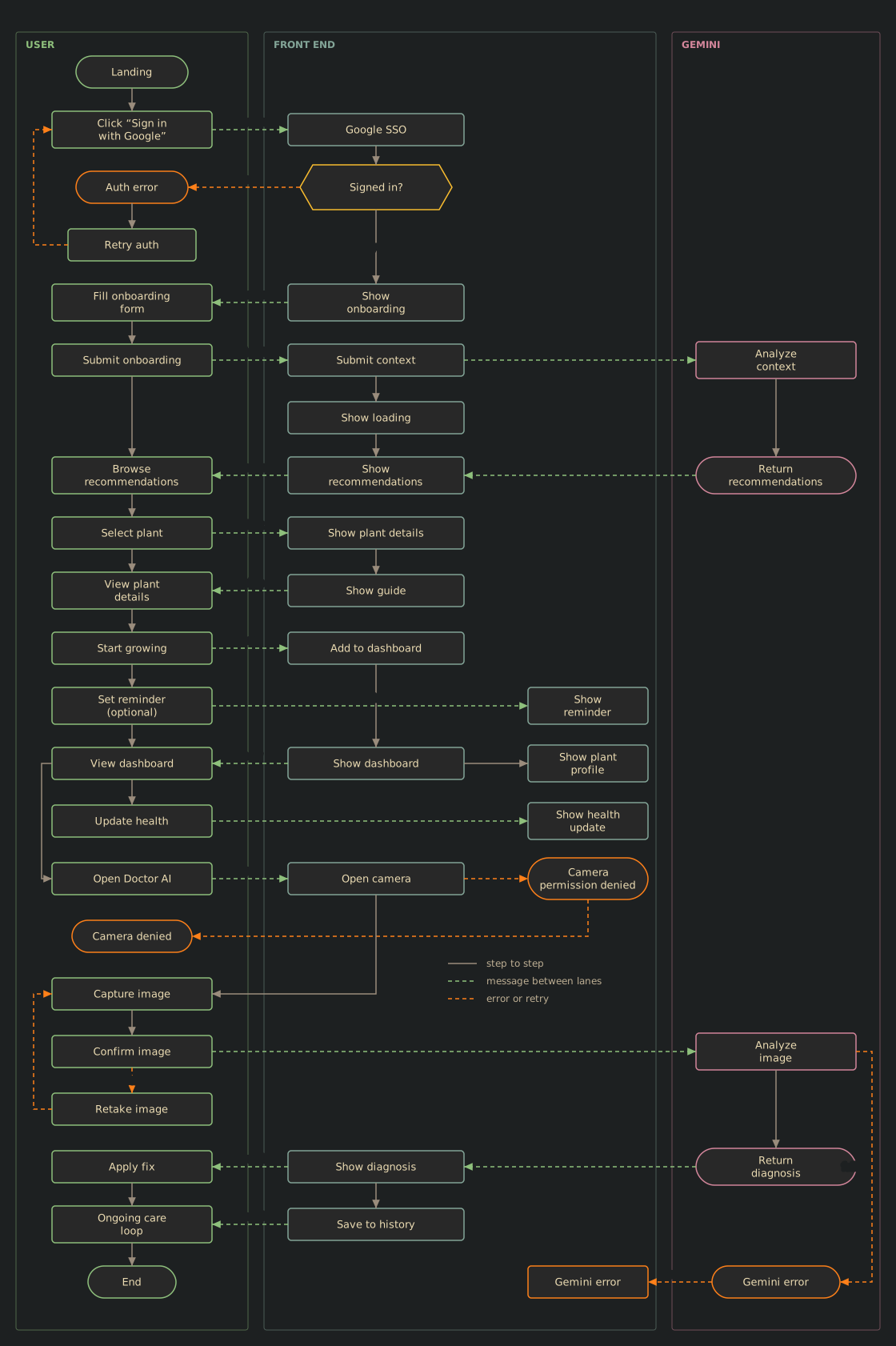
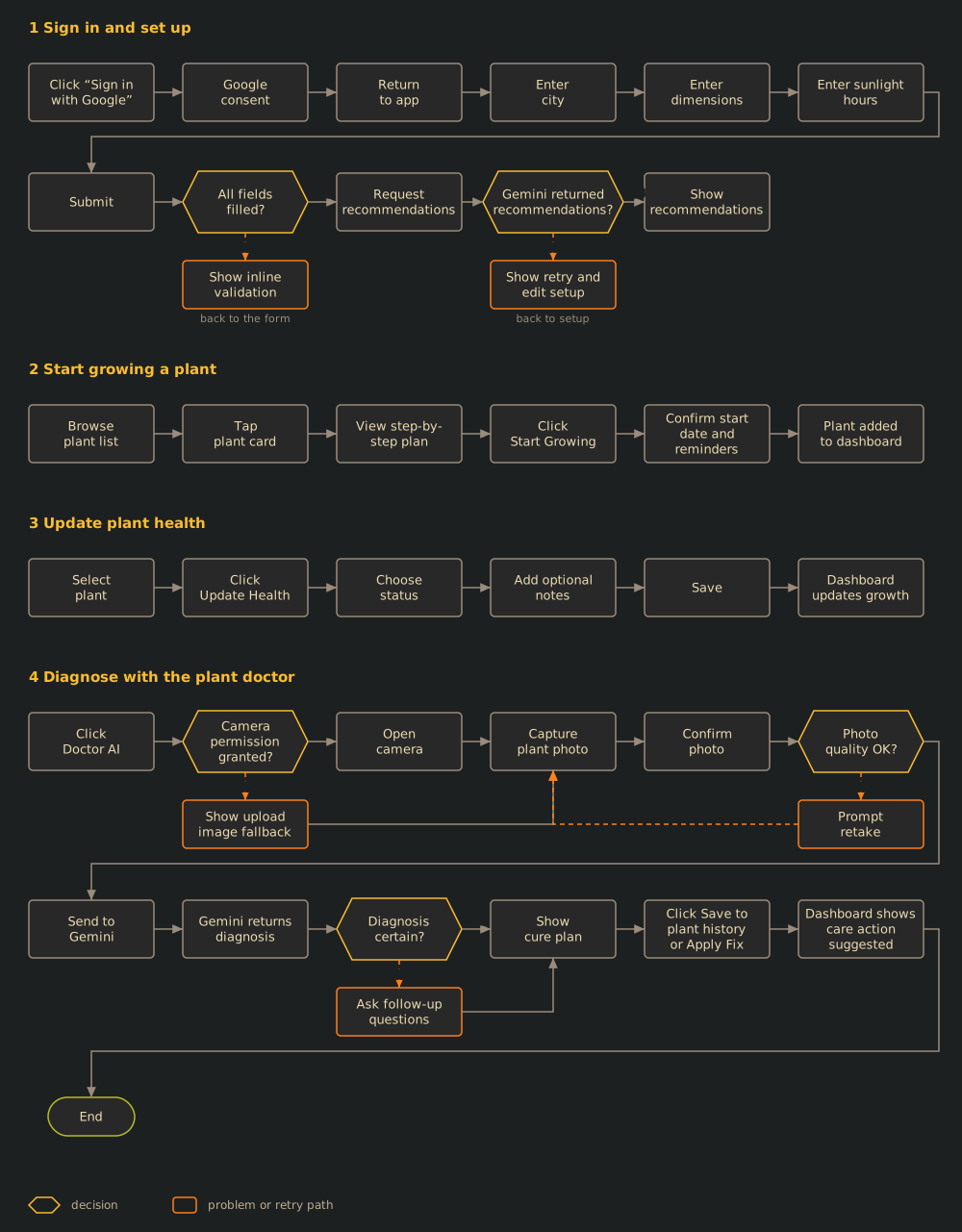
The user flow follows one person through sign-in, setup, plant picks, the dashboard and the plant doctor, with the front end and Gemini in their own lanes and the error paths marked. The task flow breaks the same journey into four tasks. Both are long, so click to zoom.
Not done yet
- Testing with more growers across different climates and living spaces.
- A better vision model, trained on more labeled plant-disease data.
- A deeper community side, such as seed swaps, compost pickups and expert office hours.